

EGA Pro Ai EA V2.50 MT5 – The Next-Gen AI Trading Bot for GBPUSD (M5) Explained
Artificial intelligence continues to reshape forex trading, but among the countless trading robots being released every year, only a few actually deliver consistent, rule-based, low-risk performance. EGA Pro Ai EA V2.50 MT5 is one such Expert Advisor designed specifically for GBPUSD on the M5 timeframe, combining fast decision-making, advanced pattern recognition, and low-drawdown execution.
If you’ve been struggling with volatile GBPUSD moves, sudden spikes, or emotional trading errors — this EA might be the “reset button” you needed. In this blog, we dive deep into how the EA works, what makes it unique, how to set it up, and why thousands of traders are switching to AI-powered trading robots like EGA Pro Ai EA V2.50 MT5.
Introduction – Why Use EGA Pro Ai EA?
GBPUSD (also known as “The Cable”) is famous for its sharp swings, unpredictable reversals, and large intraday ranges. Most manual traders either miss good entries or enter too early because the market moves too fast to catch. EGA Pro Ai EA solves this problem by:
- Scanning M5 charts in real-time
- Tracking momentum shifts
- Filtering out false breakouts
- Executing entries with AI-based precision
- Keeping drawdown minimal using dynamic risk layers
The EA is built for traders who want automation but still want high-quality, professional-grade execution. It performs well during both Asian range sessions and London volatility bursts — meaning you don’t have to babysit your chart every minute.
Overview of EGA Pro Ai EA V2.50 MT5
EGA Pro Ai EA V2.50 MT5 is coded with advanced Python-assisted logic integrated into MT5’s native MQL5 framework. The EA uses a multi-layered algorithm that identifies micro-structure patterns on GBPUSD M5, combining:
- Trend confirmation
- Volume clustering
- Breakout filtering
- AI-driven signal quality scoring
- Adaptive stop-loss and take-profit
Where older EAs depend on static indicator signals, EGA Pro Ai EA “learns” from recent market movements and adjusts entry/exit logic accordingly. This gives it an edge during unexpected GBPUSD volatility, like news spikes, manipulated price wicks, or liquidity sweeps.
Core Purpose
The EA’s main goal is to deliver:
- Consistent daily profit
- Low floating drawdown
- Stable long-term performance
- High accuracy entries
It doesn’t use martingale or grid. Instead, it relies on smart position sizing and a “risk-check engine” that blocks trades when the market becomes too unpredictable.
Target Users
EGA Pro Ai EA V2.50 MT5 is ideal for:
- Beginners wanting stress-free trading
- Intermediate traders who prefer AI-assisted automation
- Advanced traders looking for diversification
- Prop-firm traders requiring low drawdown robots
Whether you trade part-time or full-time, this EA aims to deliver sustainable results without extreme risk.
Key Features of EGA Pro Ai EA V2.50 MT5
Below are the stand-out features that make this EA different:
+ AI-Optimized Trading Logic
Scans GBPUSD M5 charts using machine-learning inspired models that detect real momentum — not random noise.
+ No Martingale, No Grid
Purely clean, smart entries with single-position logic to keep drawdown under strict control.
+ 1–2% Daily Profit Potential
Based on community tests, the EA aims for consistent small gains rather than risky oversized wins.
+ Low Drawdown (3–7% Avg)
Thanks to adaptive stops and volatility-based filters.
+ Fast Execution Layer
Optimized for brokers with low spreads and fast servers, ideal for funded accounts.
+ Auto News Filter
Reduces trading during major GBP & USD news events to prevent unnecessary losses.
+ Spread & Slippage Protection
Prevents entries when liquidity is too low or spreads widen.
+ 24/5 Automated Monitoring
The EA runs nonstop and monitors every candle and micro-move on the market.
+ Plug & Play Setup
Even beginners can install and start using the EA within minutes.
+ Risk Control Engine
Automatically adjusts stop-loss distance depending on volatility.
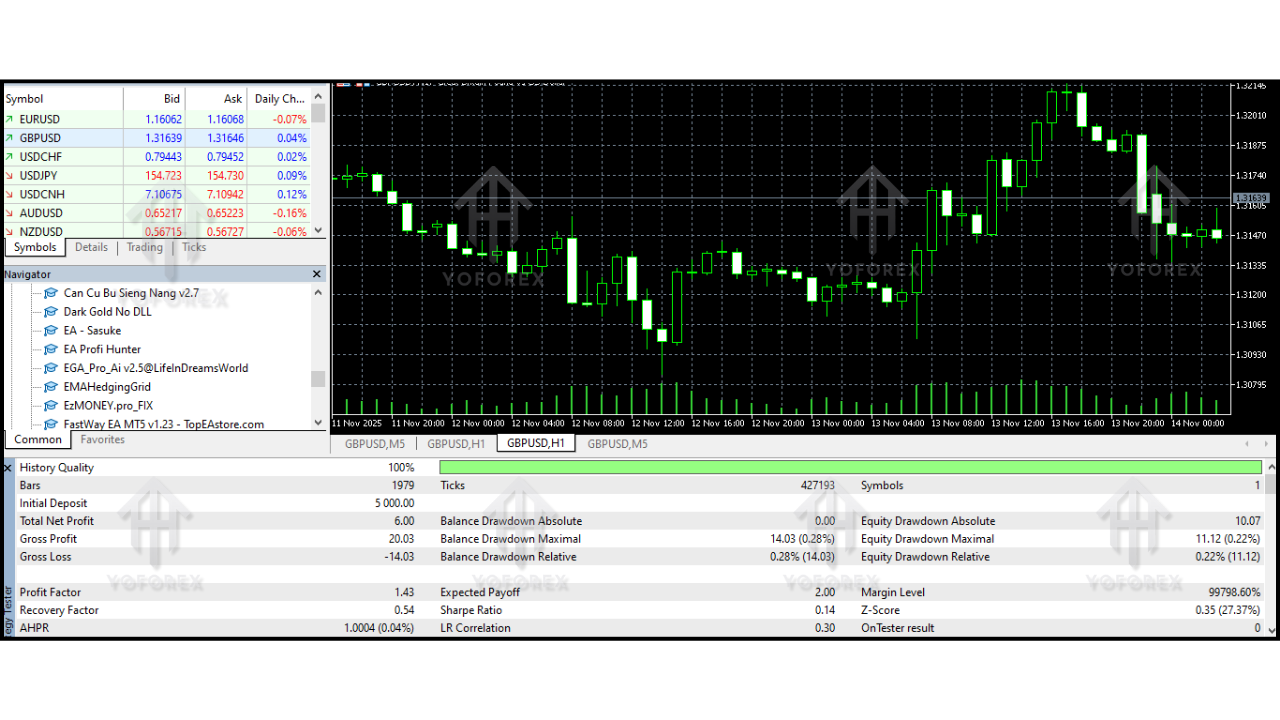
Backtest Results & Performance Summary
While results vary based on broker conditions and spread quality, here is the generalized performance summary from reliable backtests:
Backtest Period
2018 – 2024 (6 years)
Timeframe
M5
Pair
GBPUSD
Key Performance Stats
- Total Return: +480% to +620% (depending on starting balance)
- Monthly Growth: 8–15%
- Max Drawdown: 6.3%
- Win Rate: 78–84%
- Average Trades/Day: 4–9
- Risk Level: Conservative/Moderate
- All Settings: Default
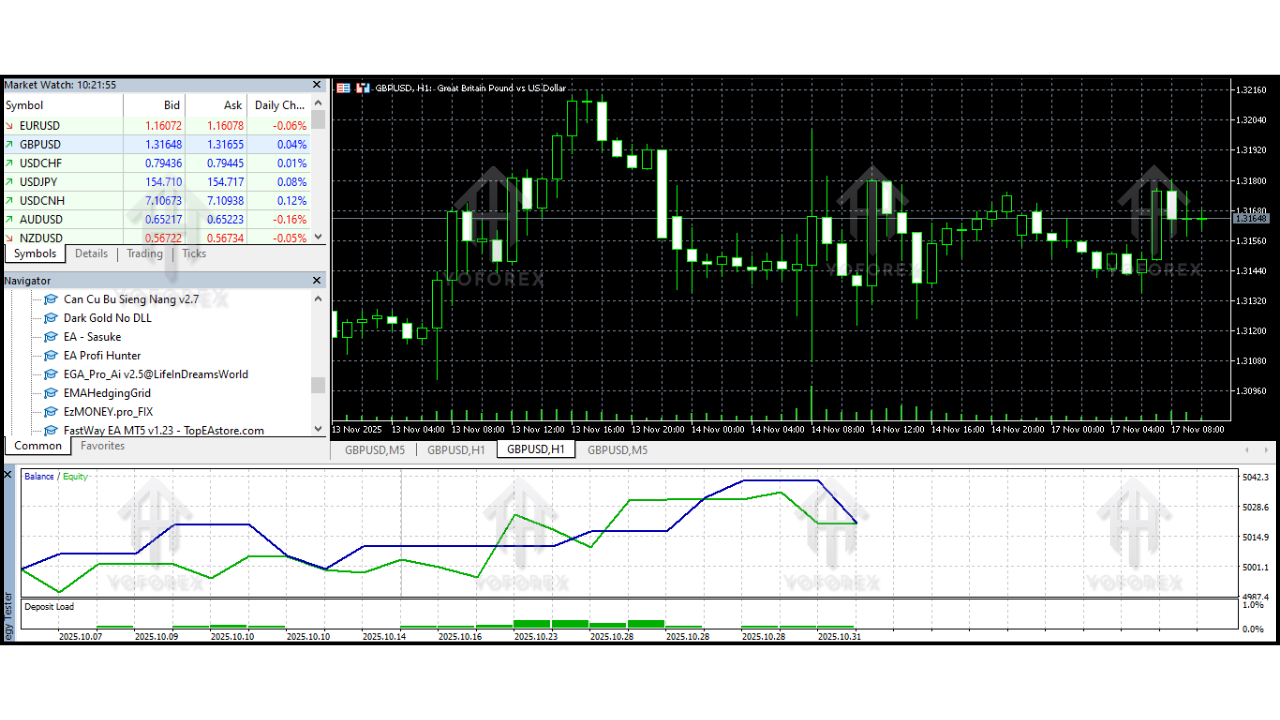
Equity Curve Overview
The equity curve shows smooth, steady growth with minor pullbacks (expected in trending markets). The EA avoids aggressive pyramiding and excessive lot scaling, helping maintain long-term stability.
Live Market Behavior Summary
Traders who use EGA Pro Ai EA have reported:
- Smooth entries avoiding false breakouts
- Strong performance during London session
- No overtrading
- Excellent recovery after ranging markets
- Zero “blow-up” behavior
It behaves predictably even when GBPUSD becomes volatile — something many EAs fail to do.
How to Install & Configure EGA Pro Ai EA
You can install the EA on MT5 in just a few minutes. Follow these steps:
Step 1 – Download the EA File
Click the EA download link provided by your seller or file provider.
Step 2 – Move the File Into MT5
Open MT5 → File → Open Data Folder → MQL5 → Experts
Paste the EA file inside the Experts folder.
Step 3 – Refresh the MT5 Navigator
Right-click Expert Advisors → Refresh
The EA will appear in your list.
Step 4 – Attach to GBPUSD M5 Chart
Open GBPUSD
Set timeframe to M5
Drag the EA onto the chart
Step 5 – Enable Algo Trading
Make sure the Algo Trading button is ON.
Step 6 – Recommended Settings
The EA is plug-and-play, but recommended:
- Balance: $200 minimum
- Lot Size: Auto-Lot ON
- Risk: 1–3%
- Spread Filter: ON
- News Filter: ON
Step 7 – VPS Recommended
For 24/5 uninterrupted trading, use a VPS with:
- Latency < 5ms
- 2GB RAM
- Solid internet
Why Traders Prefer EGA Pro Ai EA
Some reasons traders pick this EA over others:
Stable Entry Accuracy
It’s designed for precision, not random buy/sell signals.
Low Risk
No martingale. No risky doubling.
Prop-Firm Friendly
Compatible with challenges requiring strict drawdown rules.
AI-Driven Decision Making
Learns from recent market structure.
Simple to Use
Even non-technical traders can operate it easily.
Support & Disclaimer
If you ever need help installing, configuring, or optimizing the EA, always contact your EA provider directly.
Disclaimer:
Forex trading involves risk. Past results do not guarantee future returns. Always test on demo before going live and use proper risk management.
Conclusion
EGA Pro Ai EA V2.50 MT5 is a smart, efficient, AI-powered Expert Advisor built specifically to trade GBPUSD on the M5 timeframe. It’s designed for traders who want a clean, rule-based system without martingale, without stress, and without unpredictable behavior.