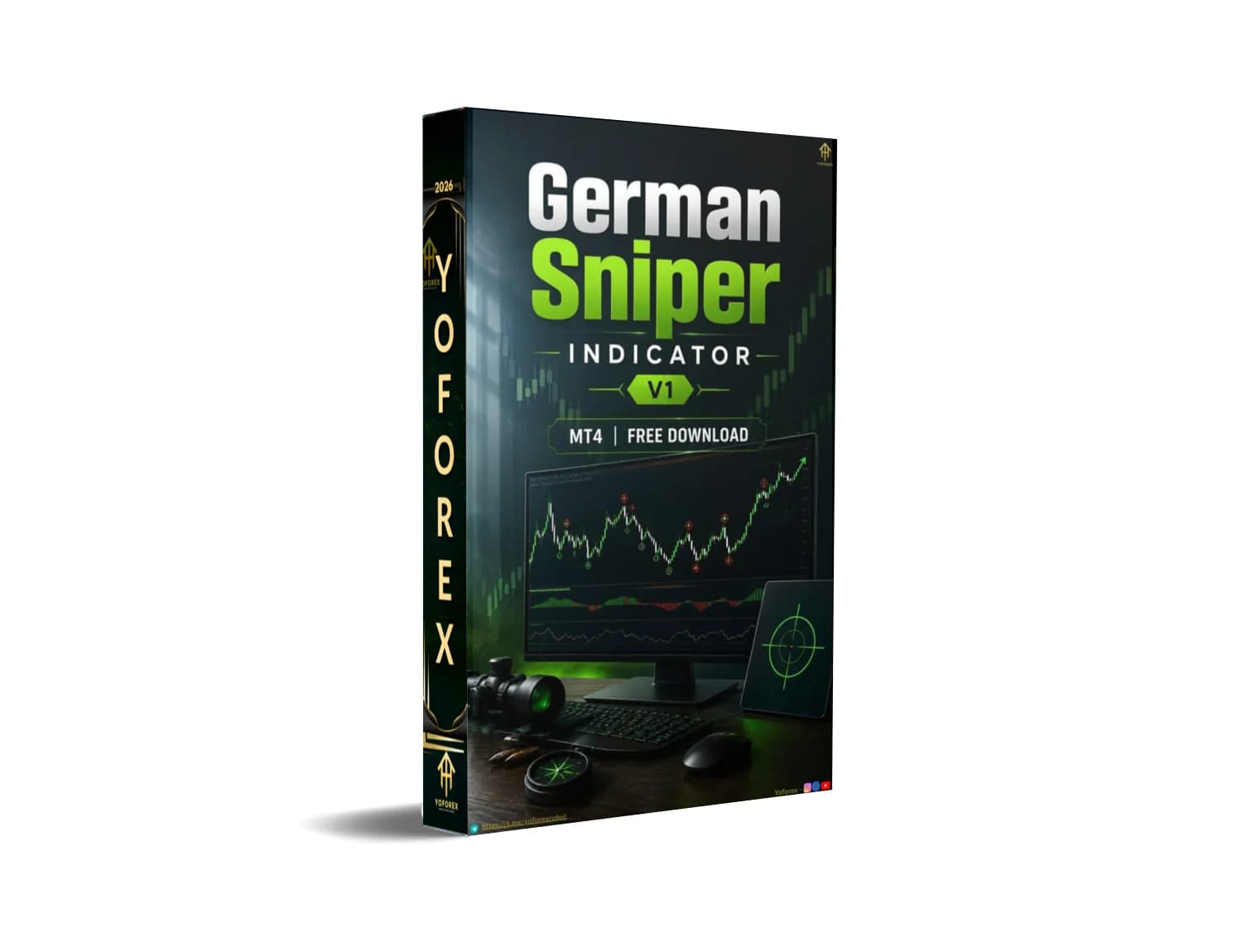
German Sniper Indicator V1 MT4: Is This Tool Right for Your Trading Setup?
Traders looking for clearer chart-based guidance often face the same problem: too many indicators clutter the screen, signals arrive late or unclear, and deciding exact entry and exit points still feels manual and stressful. If you are evaluating tools that mark potential buy/sell zones plus suggested take-profit levels on MT4, N is one option that appears in many free and paid indicator libraries.
This article focuses on the practical buying decision. What does the indicator actually show? Who it may suit, what you must verify yourself, and the checklist to complete before purchasing or installing it. No performance promises—only the information needed to decide whether it fits your platform, style, and risk tolerance.
What Is German Sniper Indicator V1 MT4?
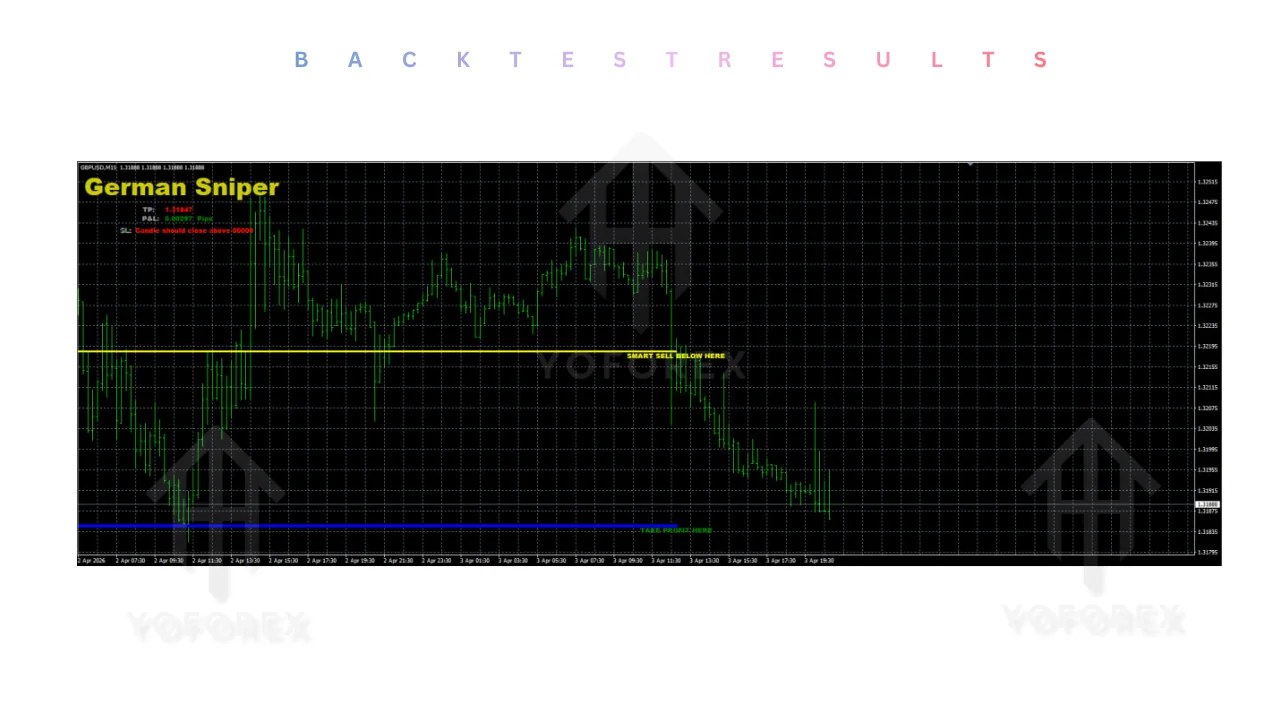
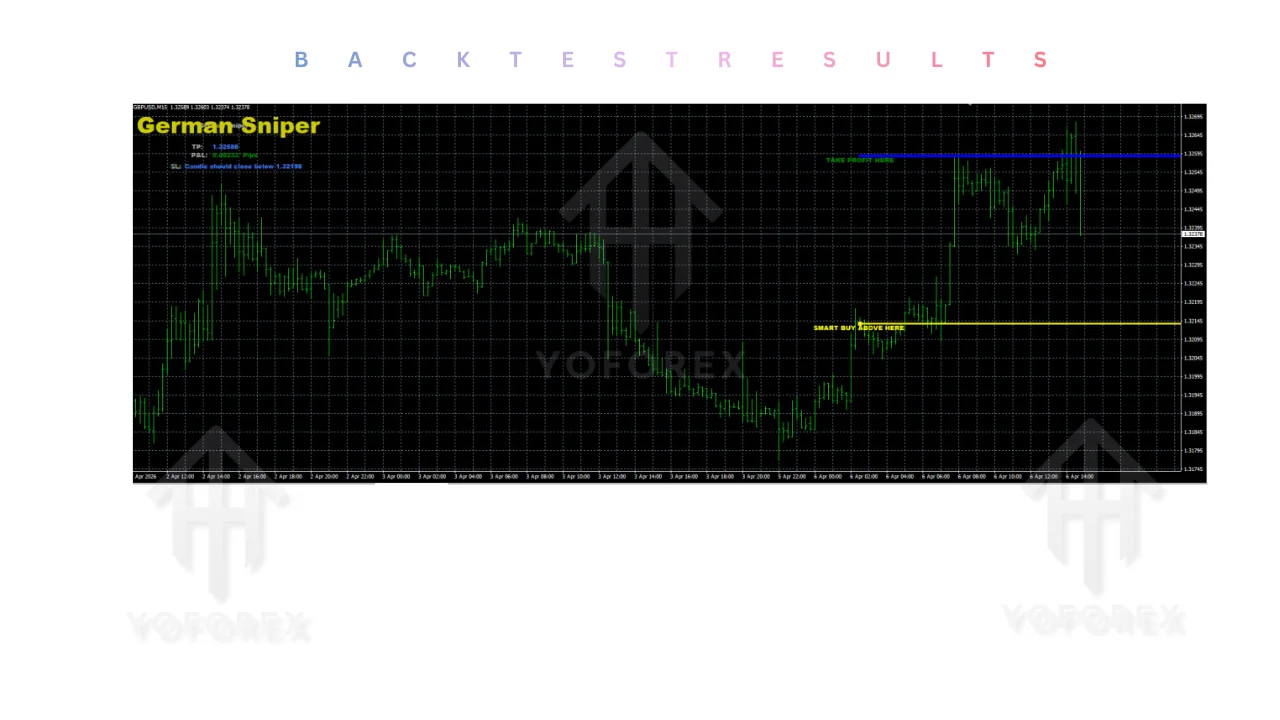
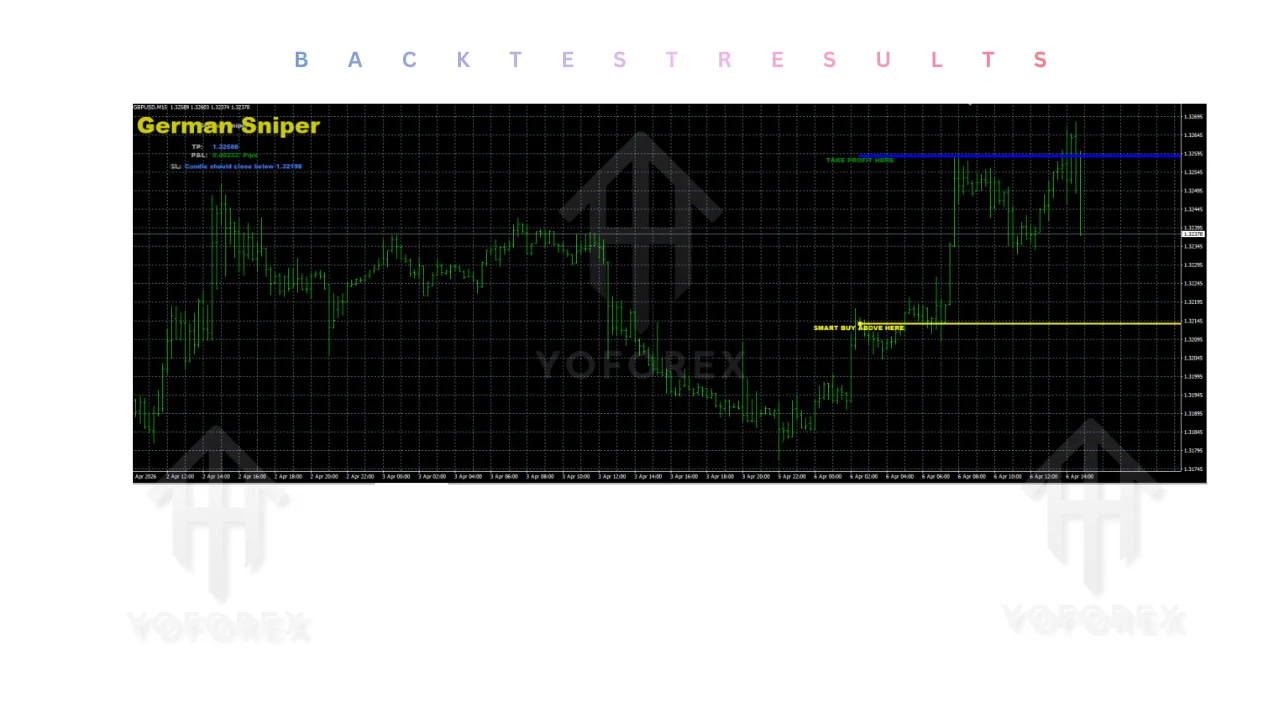
German Sniper Indicator V1 is a custom MetaTrader 4 indicator (typically delivered as a .ex4 file). It plots horizontal lines on the chart labeled along the lines of “SMART BUY ABOVE HERE” or “SMART SELL BELOW HERE,” along with “TAKE PROFIT HERE” levels. Some descriptions also note suggested stop-loss references.
It is presented as a visual decision-support tool rather than a fully autonomous Expert Advisor that opens and closes trades without intervention. Traders attach it to a chart and use the displayed levels as reference points for their own entries and exits. Exact internal logic is not publicly documented in detail; several sources describe it as drawing from past reaction areas in a manner similar to support/resistance or SuperTrend-style concepts.
Because details can differ by file version or seller, treat any specific claim about non-repainting behavior, sensitivity settings, or multi-timeframe behavior as something you must confirm in your own terminal after installation.
Who Is Looking for a Bot Like German Sniper Indicator V1?
This type of indicator tends to attract traders who:
- Want visual entry and take-profit references without coding their own levels
- Prefer MT4 and are comparing signal-style indicators
- Trade shorter timeframes (scalping or day trading) and need clearer zones
- Cannot or prefer not to watch every candle continuously but still want structured levels
- Are evaluating tools that can complement an existing manual or semi-automated approach
It is less relevant for pure set-and-forget EA users seeking fully automated order execution without chart interaction.
How German Sniper Indicator V1 Works
From publicly available descriptions, the indicator analyzes price behavior relative to prior reaction points and draws the labeled entry lines. A common usage pattern described across sources is:
- Wait for a candle close above the “SMART BUY ABOVE HERE” line (or below the sell line)
- Use the displayed “TAKE PROFIT HERE” level as a potential exit reference
- Apply your own stop-loss rules (some versions display suggested levels)
Parameters may allow display of additional support/resistance lines. The indicator itself does not place trades; the trader does. Exact sensitivity, filters, or multi-indicator confluence requirements are version-dependent and should be inspected in the Inputs tab after loading the file on a chart.
Quick Buyer Snapshot
| Factor | Details |
|---|---|
| Platform | MT4 (primary); MT5 versions mentioned by some sellers |
| Strategy | Visual entry + TP level indicator (support/resistance style) |
| Trading Style | Often used for scalping / day trading on shorter timeframes |
| Currency Pairs | Claimed suitable for majors, minors, and other instruments—verify on your symbols |
| Timeframe | Any claimed; shorter timeframes frequently referenced |
| Risk Management | Displays suggested levels; actual risk control remains with the trader |
| Automation | Signal/visual tool, not a full auto-trading EA |
| Best For | Traders seeking clear chart levels for discretionary or semi-manual execution |
| Experience Level | Can be used by beginners with proper testing; intermediate+ preferred for risk control |
Key Features Buyers Should Know
Visual entry lines (“SMART BUY / SELL”) What it does: Plots labeled horizontal levels on the chart. Why a buyer may care: Reduces ambiguity about where to consider long or short. What to verify: Whether lines update or repaint, how they behave on your preferred pairs and timeframes, and whether they align with your existing analysis.
Take-profit levels What it does: Displays suggested TP lines. Why a buyer may care: Provides a ready reference instead of calculating targets manually every time. What to verify: Realism of the distance on your instrument’s typical volatility and whether you will actually follow the level or override it.
Optional support/resistance display What it does: Some versions allow additional S/R lines via parameters. Why a buyer may care: Extra context on the same chart. What to verify: Parameter names and default values after installation.
Chart-based operation What it does: Runs as a standard MT4 indicator. Why a buyer may care: Simple attachment process familiar to most MT4 users. What to verify: File format (.ex4), installation folder, and any dependency on templates or additional indicators that may be bundled by certain sellers.
Do not assume non-repaint claims, alert functions, or multi-timeframe modes unless you observe them yourself.
Why Traders May Consider German Sniper Indicator V1
Practical reasons traders evaluate this indicator include:
- Faster visual identification of potential zones without drawing every level manually
- Consistent reference points for entry and exit discussions or journaling
- Ability to keep the chart relatively clean while still having structured levels
- Compatibility with discretionary trading rather than forcing full automation
- Potential to combine with a trader’s own filters (trend, session, higher-timeframe bias)
None of these equal guaranteed results. The value depends entirely on how the levels behave in the specific market conditions and account setup you trade.
Who Is German Sniper Indicator V1 Best For?
- Intermediate traders who already manage risk and want cleaner visual references
- Busy discretionary traders who still check charts but prefer pre-drawn levels
- Scalpers or day traders testing shorter timeframes on MT4
- Traders comparing several free or low-cost MT4 indicators before committing capital
- Users comfortable installing custom indicators and running them on demo first
Beginners can load it, but only after understanding that the indicator does not manage position size, news risk, or account drawdown.
Who Should Avoid German Sniper Indicator V1?
- Traders seeking a fully automated EA that places and manages every trade
- Anyone unwilling to demo-test for several weeks across different market regimes
- Traders who treat displayed levels as guaranteed or who ignore their own risk rules
- Users whose broker or VPS environment restricts custom indicators
- Those looking for a completely different style (pure order-flow, pure price-action without levels, or long-term position trading with no visual TP references)
German Sniper Indicator V1 vs Manual Trading
| Factor | German Sniper Indicator V1 | Manual Trading |
|---|---|---|
| Execution | Trader still places the orders | Trader places the orders |
| Monitoring | Levels remain visible on chart | Requires constant level drawing |
| Consistency | Same visual rules every time | Depends on trader discipline |
| Speed | Instant level display | Time spent identifying zones |
| Human Emotion | Still present at entry/exit | Fully present |
| Flexibility | Levels fixed by indicator logic | Full discretion to ignore or adjust |
| Setup Required | Install + configure indicator | Chart analysis skills only |
BUYER CHECKLIST
Before buying or installing German Sniper Indicator V1 MT4, verify:
- Exact strategy and logic description supplied by the seller
- Confirmed MT4 compatibility (and MT5 if claimed)
- Broker compatibility—test on your live server’s symbols and spreads
- Currency pairs and instruments you actually trade
- Preferred timeframes and how levels behave on them
- Typical drawdown behavior during your own backtests and forward tests
- Risk settings—position sizing remains your responsibility
- Whether a VPS is required or recommended for stable operation
- Quality of any historical testing data provided (if any)
- Ability to run fully on a demo account first
- Seller support responsiveness and documentation quality
- Update policy and how future versions are delivered
- Installation requirements, file format, and any template dependencies
Complete the checklist with your own data. Promotional win-rate or profit figures found on third-party sites are not reliable substitutes for personal verification.
How to Get Started
- Confirm the file is intended for your MT4 build.
- Review any strategy notes or parameter descriptions supplied.
- Install the .ex4 into the correct Indicators folder and refresh the Navigator.
- Attach it to a chart, open Inputs, and note every available setting.
- Run it on a demo account across the pairs and timeframes you trade.
- Monitor how levels form, whether they shift, and how price reacts.
- Define your own risk rules (lot size, max daily loss, news filter).
- Only consider live use after you are comfortable with the behavior and have documented results that meet your personal criteria.
Never move to live trading solely because levels look attractive on a few charts.
FAQs
Is German Sniper Indicator V1 compatible with MT4?
Yes—public descriptions and file references consistently identify it as an MT4 indicator (.ex4). Always confirm the exact build and any MT5 alternative if offered by a specific seller.
Is German Sniper Indicator V1 suitable for beginners?
It can be loaded by beginners, but effective use requires understanding risk management and the willingness to demo-test thoroughly. It does not automate money management.
What should I check before buying German Sniper Indicator V1?
Platform compatibility, actual visual behavior on your symbols, whether levels repaint, risk rules you will apply, demo performance, seller support, and update policy.
Does German Sniper Indicator V1 require a VPS?
Not inherently, because it is a chart indicator rather than a continuously running EA. A VPS can still be useful for stable chart access or if you combine it with other tools.
Can German Sniper Indicator V1 be tested on a demo account?
Yes. This is the recommended first step before any live capital is involved.
What risks should buyers consider?
Indicator levels can fail in ranging or high-impact news conditions. Over-reliance on any single tool, poor position sizing, and lack of personal testing remain the primary risks.
Can the settings be customized?
Most versions expose input parameters. Exact options vary—inspect them after installation.
Where can I get German Sniper Indicator V1 MT4?
Search reputable MT4 indicator sources or the specific vendor page that matches the version you want. Cross-check file integrity and terms before downloading or purchasing. Resources and related tools are also discussed on sites such as yoforexea.com/blog.
CONCLUSION
If the visual entry and take-profit style of German Sniper Indicator V1 MT4 matches the type of decision support you need, the next practical step is to obtain the file from a trusted source, install it on a demo account, and run the full buyer checklist above. Review the exact parameters, observe real-time behavior on your preferred pairs and timeframes, and only proceed further once the tool has proven useful under your own risk rules. Check the product details, available versions, and documentation first—then test thoroughly before any live consideration.
REFERRAL
Join the VIP Signals Telegram Channel for real-time expert trading signals and stay ahead in the forex market. Get personalized strategies by becoming a part of our Real Account Management Telegram Channel and optimize your trading experience. If you’re aiming to Pass PropFirm Challenges , join our dedicated channel for tips and proven methods. Start managing your capital effectively with expert advice from our Funded Account Management Telegram Channel. For advanced traders, our HFT EA / Passing Telegram Channel offers high-frequency trading insights and strategies to boost your performance.