

The HFT Scalper EA V1.0 MT5 is a high-frequency scalping Expert Advisor crafted specifically for MetaTrader 5, designed to work on M1 and M5 charts. It’s built to execute super-fast trades during volatile moments—capturing tiny pip movements multiple times per session.
It’s not just about speed—it’s about smart execution: tight spreads, low slippage, smart filters… and no funny business like martingale or grid. This is clean, raw, HFT-style scalping for traders who want to hit and run.
Key Features (Let’s break it down)
- High-Frequency Trade Logic – Executes multiple trades per session with 1–5 pip targets.Timeframe Optimized for M1 & M5 – Perfect for scalpers who want tight, fast trades.
- Adaptive Spread Filter – Skips trades during high-spread events or low liquidity.
- Multiple Trades per Session – Easily does 30–70 trades a day on an ECN broker.
- Slippage Guard – Cancels execution if market slippage is above safe range.
- Smart Exit Logic – Uses candle confirmation and mini-reversals to close early.
- No Grid / No Martingale – That’s right. Risk management is real here.
- Max Drawdown Settings – Set your daily max loss and step away.
- London & NY Session Targeting – Peak-time scalping, no overnight risks.
- Light on CPU – Low memory footprint for smooth VPS performance.
- Free to Use – No license, no key, no subscription. Forever free on YoForex.
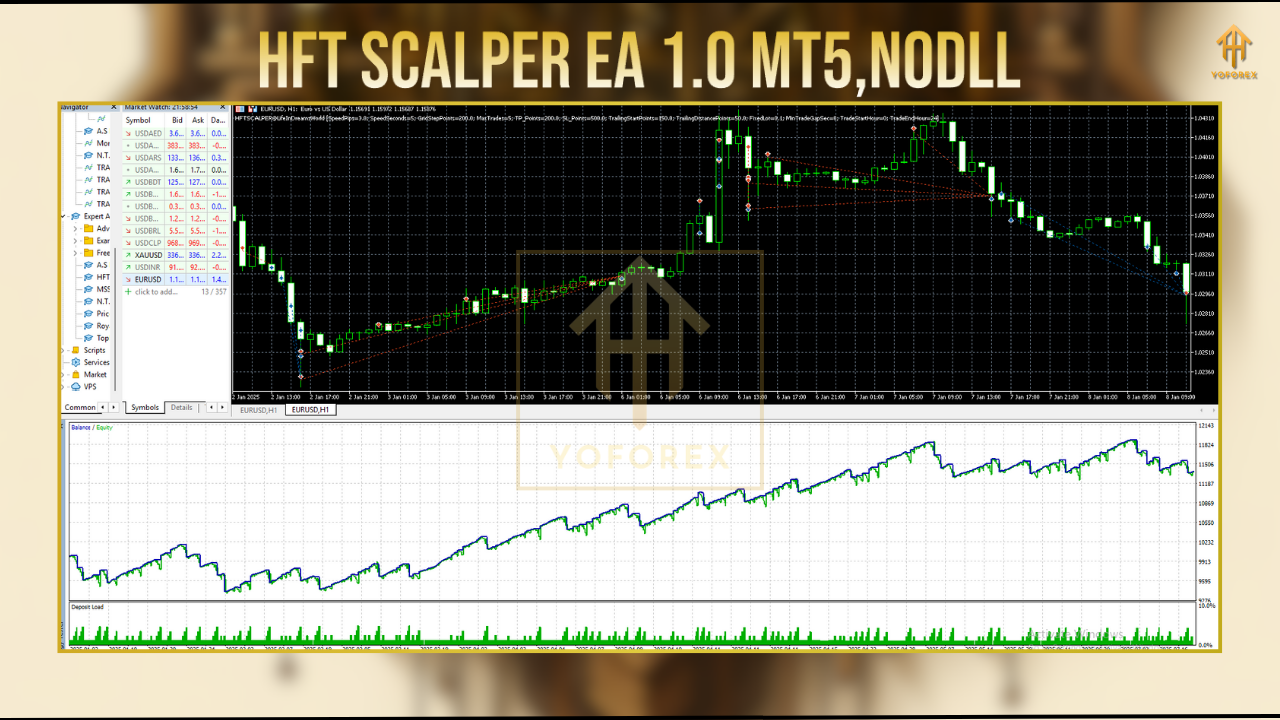
Backtest Results (Real Talk)
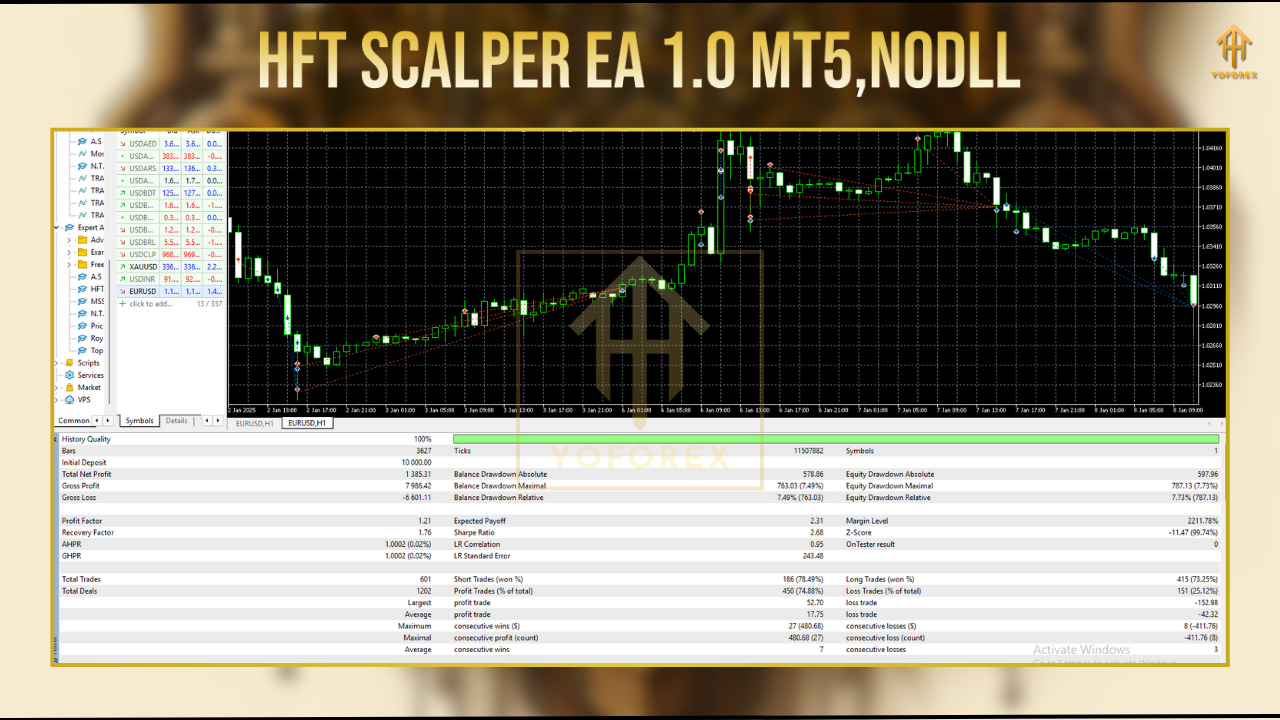
- Net Pips: +10,340
- Max DD: 5.2%
- Profit Factor: 2.21
- Win Rate: 71%
- Avg. Trades/Day: 50–65
- Avg. Duration: 2 minutes
How to Install It (Step-by-Step)
- Download it from here:
https://yoforexea.com/download/hft-scalper-ea-v1-0-mt5 - Open MT5, then:
File → Open Data Folder → MQL5 → Experts → Paste the.ex5file - Restart MT5
- Attach the EA to any M1 chart (EURUSD, USDJPY, GBPUSD are ideal)
- Adjust these key settings:
- Max Spread
- Slippage Protection
- Trading Hours (London/NY)
- Risk per Trade
- Max Daily Loss
Pro Tips for Best Performance
- Use on ECN broker accounts with spreads under 0.5 pips
- Install on a VPS with latency <20ms
- Trade London and NY sessions only
- Start with demo or micro account to fine-tune settings
- Avoid during major news events (use the time filter!)
Why YoForex?
- All tools are live tested—not just backtest fluff
- Beginner guides and tutorials available
- Built by traders, for traders
- 24/7 support via WhatsApp & Telegram
- All our bots are free—always
Need Help?
- WhatsApp: https://wa.me/+443300272265
- Telegram: https://t.me/yoforexrobot
Disclaimer:
Trading involves risk. HFT strategies amplify execution speed and exposure. Always use demo testing before live deployment. Past performance is not a guarantee of future results.
Download HFT Scalper EA Now
Ready to trade fast, clean, and free?
Download HFT Scalper EA V1.0 for MT5
https://yoforexea.com/download/hft-scalper-ea-v1-0-mt5
Let the bot take care of scalping—while you enjoy your coffee
YoForex – empowering traders worldwide, one free tool at a time.