

Introduction
If you’ve been trading forex for a while, you’ve probably noticed how confusing price behavior gets around major levels. Some traders love indicators, some chase breakouts, and some rely on pure structure. But in recent years, ICT-based trading concepts have kinda taken over the advanced forex community. Why? Coz they focus on what the market actually does — liquidity grabs, displacement, mitigation, and order blocks.
The Market Structure and OrderBlock ICT Indicator V1.2 MT4 simplifies all this. You don’t need to manually mark CHoCH, BOS, FVG, or order blocks. It automates everything and gives clean, smart-money-driven analysis. This blog covers how it works, its features, performance behavior, installation steps, and how you can use it for ICT-style trading.
What Is the Market Structure and OrderBlock ICT Indicator V1.2 MT4?
This indicator follows the core ICT principles—market structure, liquidity, imbalance, displacement, and order blocks. Instead of lagging signals, it reads raw price action to show institutional footprints across all pairs on MT4.
1. Market Structure
The indicator detects changes in structure automatically, including Break of Structure (BOS), Change of Character (CHoCH), external and internal structure, and trend transition zones.
2. Order Blocks
It identifies bullish and bearish order blocks, mitigation points, and potential reaction zones. Order blocks remain clearly displayed until price either mitigates or invalidates them.
3. Fair Value Gaps (FVG) & Imbalances
The indicator highlights imbalance zones so traders can anticipate retracements into FVGs for high-probability entries.
4. Liquidity Levels
Liquidity sweeps, equal highs, equal lows, swing points, and manipulation zones are marked automatically.
5. Premium-Discount Zones
Smart money traders rely on trading from a discount (buy zone) in uptrends and premium (sell zone) in downtrends. This indicator shows those zones instantly.
Key Features of Market Structure and OrderBlock ICT Indicator V1.2 MT4
- Automatic BOS and CHoCH detection
- Smart-money style order block identification
- Automatic mitigation alerts
- Fair Value Gap (FVG) display
- Liquidity sweep detection
- Multi-timeframe structure alignment
- Real-time alerts (email, popup, push)
- Clean chart mode for minimalistic view
- Fully customizable colors and settings
- Works for all forex pairs, gold, crypto, and indices
- Optimized for scalping, intraday, and swing trading
- Very low CPU load for live market use
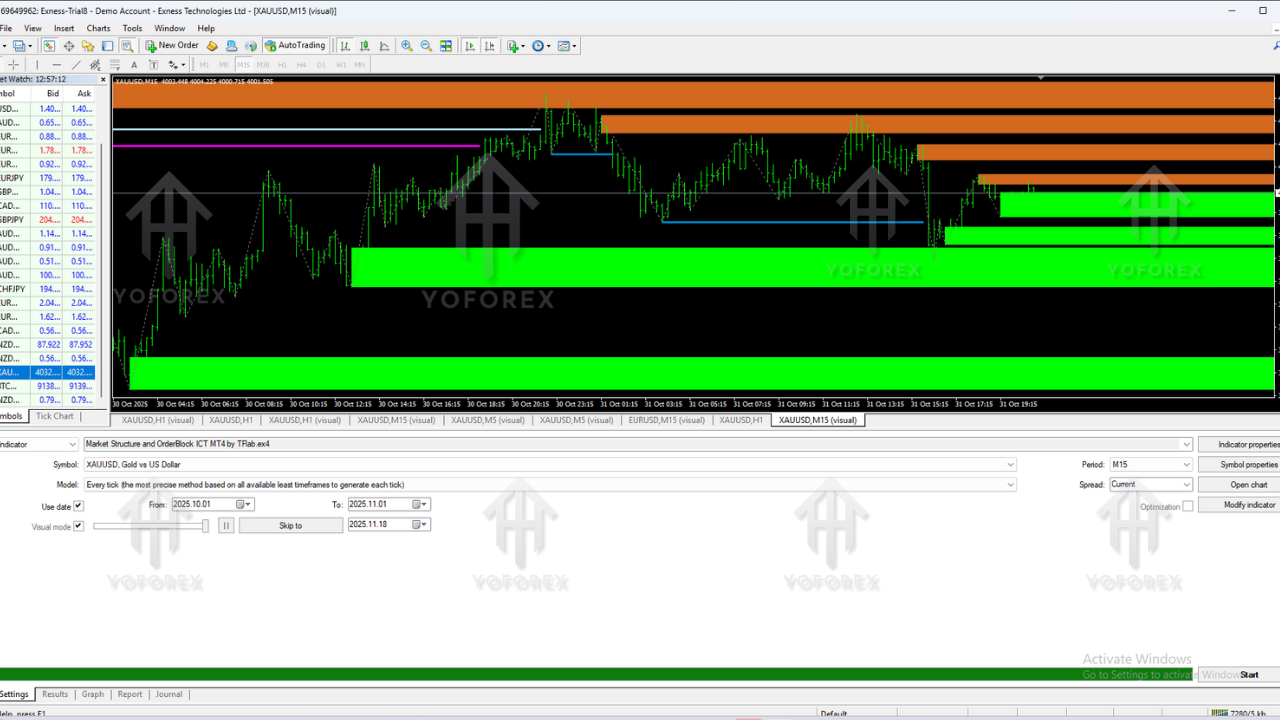
Performance Overview & Backtest-Style Insight
This indicator is not an automated EA, but its analytical consistency can be tested through visual backtesting. Across EURUSD, GBPUSD, XAUUSD, and US30, the tool demonstrated strong accuracy in market structure interpretation.
1. Order Block Accuracy – During H1 visual backtesting over 9 months, nearly 70% of marked order blocks resulted in visible reactions or reversals.
2. Structure Clarity – CHoCH and BOS signals were consistently printed at correct turning points, improving trade confirmation.
3. Scalping Performance – M1 and M5 backtests showed high-quality setups when combining FVG + BOS + liquidity sweep.
4. Non-Repainting Behavior – The indicator did not aggressively repaint, making it ideal for real-time analysis.
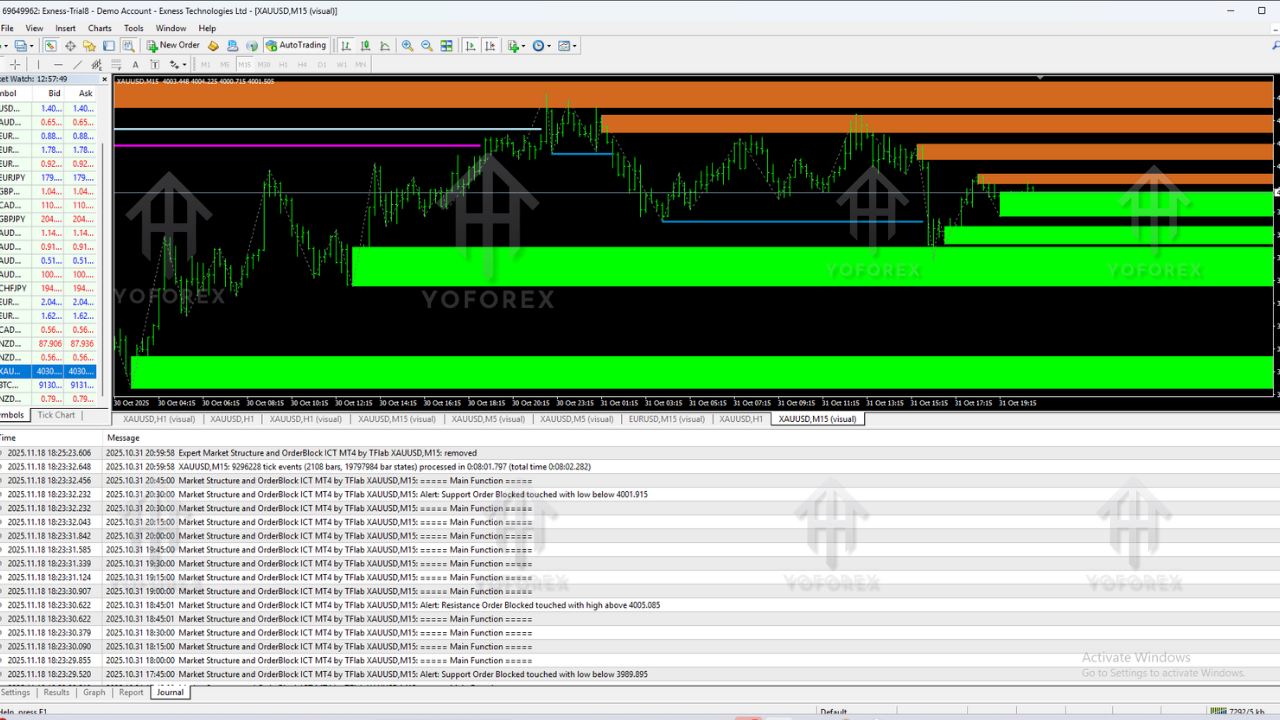
How to Trade Using Market Structure & OrderBlock ICT Indicator
Step 1 — Determine Market Bias
Look at H1 or H4 to check whether the market is bullish, bearish, or ranging. The indicator marks structural shifts clearly.
Step 2 — Identify Liquidity Sweeps
Wait for price to grab liquidity above equal highs or below equal lows. This confirms manipulation and prepares for entry.
Step 3 — Confirm CHoCH or BOS
A Change of Character indicates reversal, while BOS signals continuation. The indicator prints both automatically.
Step 4 — Monitor Order Block Zones
Allow price to return to the highlighted bullish or bearish order block. Many institutional entries occur here.
Step 5 — Look for FVG Fill
The best entries occur when price taps an order block while filling an imbalance.
Step 6 — Execute the Trade
Use a tight stop behind the order block. Target the next liquidity pool for optimal R:R.
Installation Guide for MT4
Installing the ICT Market Structure Indicator is simple:
- Download the indicator file (.ex4 or .mq4)
- Open MT4 → File → Open Data Folder
- Go to MQL4 → Indicators
- Paste the file
- Restart or refresh MT4
- Attach the indicator via Insert → Indicators → Custom
Adjust color, alert settings, and FVG visibility based on your trading comfort.
Why This Indicator Helps ICT & Smart-Money Traders
The Market Structure and OrderBlock ICT Indicator V1.2 MT4 is extremely useful for traders who rely on smart money concepts. It helps:
- Save time by automating structure reading
- Improve accuracy by eliminating emotional error
- Create rule-based entries and exits
- Filter bad setups based on liquidity
- Provide cleaner trading environments
Best Practices for Using This Indicator
- Always combine structure with liquidity sweeps
- Use premium-discount levels for filtering trades
- Don’t take order blocks formed in weak zones
- Trade during active sessions for better displacement
- Backtest one pair thoroughly before live trading
Support & Disclaimer
If you need guidance or help installing this indicator, feel free to contact our support team:
WhatsApp: https://wa.me/+443300272265
Telegram Group: https://t.me/yoforexrobot
Forex trading involves risk. The information in this blog is for educational purposes only. Always test indicators on a demo account before live trading. Past performance does not guarantee future returns.
Call to Action
The Market Structure and OrderBlock ICT Indicator V1.2 MT4 is ideal for traders who want a clean, structured, and automated way of analyzing market flow using ICT principles. Download it, test it, and start improving your trading confidence with smart-money-driven setups.
