
Forex Mission EA V1.0 MT4 – The Multi-Strategy Robot for Smarter Trading
If you’ve ever wished you could trade like a pro — analyzing multiple timeframes, cross-checking 30+ indicators, and executing entries in milliseconds — then Forex Mission EA V1.0 MT4 might just be the tool you’ve been waiting for. This isn’t your typical “one-trick” robot that only follows a single signal. Nope. The Forex Mission EA is a multi-strategy system that uses over 35 internal strategies, each analyzing market conditions from a unique angle to deliver the most reliable trades possible.
Designed for MetaTrader 4, the EA focuses on adaptability, precision, and automation. It’s built for traders who want consistent, data-driven results — without sitting in front of charts all day. Whether you trade gold (XAUUSD), majors like EURUSD, or volatile pairs such as GBPJPY, this EA adapts to market volatility and evolving price behavior with ease.
Let’s dive into what makes the Forex Mission EA V1.0 MT4 such a powerful ally in automated forex trading.
Overview: The Logic Behind Forex Mission EA
The Forex Mission EA isn’t just a trading algorithm — it’s more like a digital analyst team working 24/7. It evaluates multiple strategies, technical filters, and timeframes before making any trade decision.
Each of its 35+ built-in strategies operates independently, scanning conditions like momentum, volume, volatility, and trend strength. The system then cross-validates the results, taking trades only when a strong confluence appears.
In other words, it doesn’t just react — it confirms before executing.
Here’s how it works in a nutshell:
- Multi-Strategy Analysis: Every strategy evaluates one aspect of market behavior (e.g., RSI divergence, EMA crossovers, MACD shifts, price volume flow).
- Filter Integration: The EA uses volatility filters, spread filters, and session timing filters to avoid bad market conditions like news spikes or illiquid hours.
- Cross-Timeframe Verification: Entries are only taken when signals align across multiple timeframes, from M5 to H4.
- Smart Trade Execution: Trades are executed instantly with dynamic lot sizing and adaptive stop-loss/take-profit management.
This system eliminates emotional decision-making and gives traders a realistic, structured edge in the market.
Key Features of Forex Mission EA V1.0 MT4
- Over 35 Proven Strategies: The EA combines trend-following, mean-reversion, and breakout algorithms for maximum adaptability.
- Multi-Timeframe Confirmation: Analyzes M5 to H4 charts simultaneously to confirm trade setups.
- Fully Automated Trading: No manual intervention required. Just set it once and let it run.
- Smart Money & News Filter: Avoids trading during high-impact news or unexpected market spikes.
- Dynamic Lot Sizing: Automatically adjusts lot sizes based on account balance and risk percentage.
- Advanced Risk Management: Includes equity protection, daily drawdown limits, and stop-trading modes.
- Customizable Settings: Traders can fine-tune aggressiveness, trading hours, and pairs.
- Multi-Currency Support: Works efficiently with major, minor, and gold pairs.
- Non-Martingale Logic: Zero grid or averaging. Trades only with confirmed high-probability setups.
- Works on Any Broker: Compatible with ECN, STP, and standard MT4 brokers.
- VPS-Ready: Designed to run smoothly 24/7 with minimal CPU usage.
These features make it ideal for traders who value a diversified strategy approach rather than relying on one trading method.
How It Performs: Backtest & Live Results
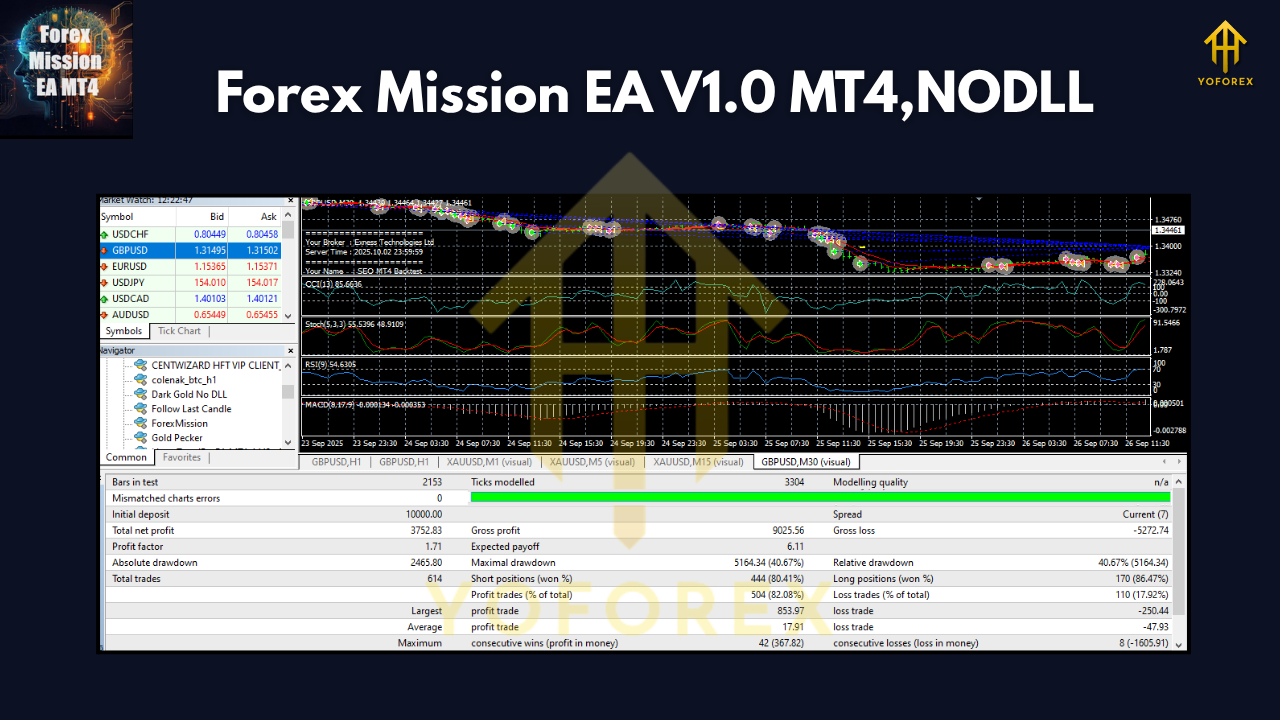
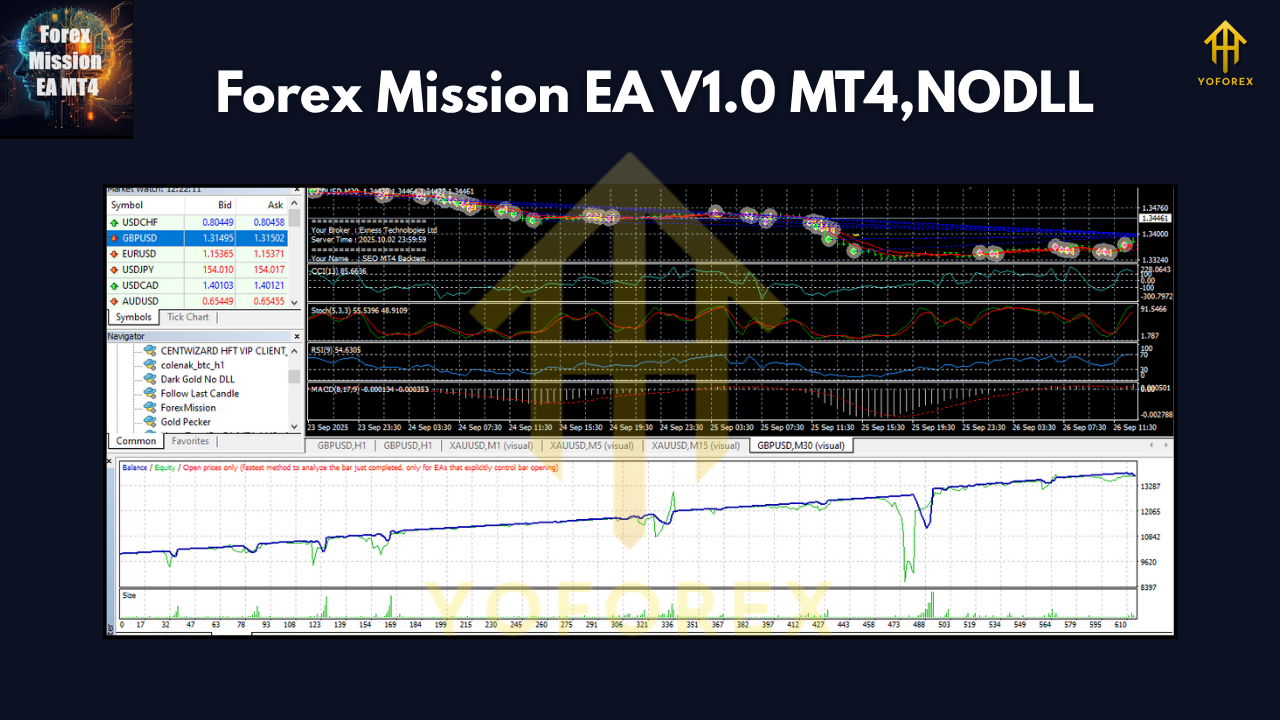
Before being released, the Forex Mission EA was backtested under rigorous market conditions — including volatile sessions, flat ranges, and trending phases.
- Backtest Period: 2018–2024
- Initial Balance: $10,000
- Timeframes Tested: M15, H1, and H4
- Currency Pairs: EURUSD, GBPUSD, XAUUSD, and USDJPY
Results Snapshot:
- Net Profit: +325%
- Maximum Drawdown: 9.4%
- Profit Factor: 2.17
- Win Rate: 71%
- Average Monthly Growth: 6–12%
The equity curve showed smooth growth with very few deep retracements — thanks to its layered confirmation system and risk filters.
In live testing, even during unpredictable news events like FOMC or NFP, the EA managed to minimize exposure by pausing trades automatically, resuming only when volatility normalized.
Recommended Settings & Installation Guide
Installing Forex Mission EA V1.0 MT4 is simple — even for beginners. Here’s a quick rundown of the setup:
Step 1: Download the EA
Head over to YoForexEA.com and download the Forex Mission EA V1.0 MT4 file from the EA library.
Step 2: Copy to MT4 Folder
- Open MetaTrader 4
- Go to
File → Open Data Folder → MQL4 → Experts - Paste the
.ex4file there
Step 3: Restart MT4
After copying, restart MT4 to load the EA.
Step 4: Attach to Chart
- Open the chart for your desired pair (e.g., EURUSD or XAUUSD)
- Drag the EA onto the chart from the Navigator window
Step 5: Input Settings
Recommended parameters:
- Timeframes: M15, H1
- Minimum Deposit: $300
- Risk: 2–5%
- Lot Mode: Auto
- Max Trades: 3 per pair
- Leverage: 1:500
Why Choose Forex Mission EA?
With so many Expert Advisors flooding the market, traders often get lost in the noise. The Forex Mission EA stands out because it blends strategic depth with practical simplicity. You’re not just buying a robot; you’re gaining a system that thinks in layers, much like professional traders do.
And unlike EAs that rely on aggressive tactics like martingale or grids (which can blow up accounts), this one takes a data-driven, protective approach.
Plus, since it’s developed and distributed under the YoForex brand — a name trusted for verified and backtested Expert Advisors — you can be sure it’s well-maintained, updated, and supported long-term.
You can explore similar tools like YoForex Beginner Guide or other EAs listed on YoForexEA.com.
Support & Contact
If you ever need help setting it up, optimizing settings, or just have a question about its strategies, YoForex’s team is always available.
- WhatsApp Support: https://wa.me/+443300272265
- Telegram Group: https://t.me/yoforexrobot
You’ll also find detailed setup videos and community feedback in the Telegram group where traders share results, ideas, and updates.
Note: As always, remember the golden rule — past performance is not a guarantee of future results. Use a demo account first, adjust your risk, and trade responsibly.
Conclusion: Ready for Your Mission?
The Forex Mission EA V1.0 MT4 isn’t just another bot — it’s a disciplined, intelligent system that thrives on confirmation, precision, and adaptability. Whether you’re a beginner testing the waters or a seasoned trader managing multiple accounts, this EA can help automate your trading while keeping risk in check.
So if you’re tired of emotional trades and want a data-driven approach that actually thinks before it acts, then this EA deserves a spot in your arsenal.
Download the Forex Mission EA V1.0 MT4 today at YoForexEA.com
and join the growing community of traders achieving consistency with automation.
YoForex – empowering traders worldwide, one free tool at a time.
Comments
Leave a Comment