???? Reverse Pending V1 EA MT4 – Powerful Pending Order Strategy for Smart Reversals
Build with:
MetaTrader 4 (MT4), MQL4
Introduction
Have you ever entered a trade too late—right after a major price reversal—and wished you had been just a little earlier? You're not alone. The forex market moves fast, and timing entries based on reversals is an art. That’s where the Reverse Pending V1 EA MT4 comes in.
This Expert Advisor (EA) is engineered for traders who want to catch price reversals before they fully happen using pending orders. It’s perfect for scalpers, swing traders, and reversal hunters alike. Built on clean logic and optimized to react to oversold or overbought market conditions, Reverse Pending V1 places calculated pending orders in the opposite direction of sharp moves—waiting to strike at optimal retracement levels.
Let’s dive into how this tool works, what makes it different, and why it may just become your go-to reversal EA.
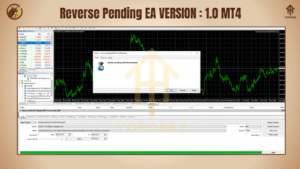
Strategy Breakdown: How Reverse Pending V1 EA Works
The core of Reverse Pending V1 EA is a counter-trend pending order strategy. Rather than jumping in on a breakout or trend continuation, this EA predicts reversal zones using a combination of:
High volatility detection
Dynamic candle size analysis
Support/resistance levels
Price exhaustion indicators
When a fast, extended price move is detected, the EA places a pending order in the opposite direction at a calculated distance. If the market retraces (which often happens after a big spike), the pending order triggers and rides the reversal for profit.
This minimizes emotional decisions and avoids the risk of entering right into a fakeout or continuation trap.
???? Key Features of Reverse Pending V1 EA
Pending Order Logic – Avoids market entries; only uses strategic Buy/Sell Stop/Limit orders for safer entry.
Candle Size Filter – Detects volatile candles to trigger pending setup logic.
Time Control – Set the hours/days when the EA should operate. Great for avoiding news periods or low-volume sessions.
Built-in Risk Management – Set fixed lot sizes or percentage-based risk per trade.
Custom SL/TP Options – Configure Stop Loss and Take Profit levels based on your strategy.
No Martingale, No Grid – A clean single-trade approach, free of risky recovery methods.
Low Drawdown – Due to selective trade logic and pending-only execution.
Works on All Pairs – Though best results are observed on majors like EURUSD, GBPUSD, USDJPY.
Optimized for M15-H1 Timeframes – Captures short-term reversals with low risk.
News Filter Compatibility – Can be combined with news filter EAs to avoid event-based spikes.
Simple Setup – Drag, drop, set parameters... done.
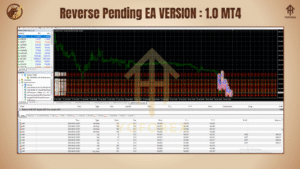
???? Why the Pending Logic is So Effective
Market reversals don’t always look clean on charts. Sometimes they start subtly—just a small candle after a big run-up. If you're too slow, you miss the train; too fast, and you're stuck in a fakeout.
Reverse Pending V1 EA is calibrated to avoid those pitfalls by:
Waiting for the overextension
Positioning pending orders at calculated distances
Triggering only when the reversal proves itself
It essentially uses the market’s momentum against it—flipping the script at just the right time.
???? Backtest Insights
Reverse Pending V1 EA was tested on several major currency pairs using historical data over the last 3 years. The results are promising:
Timeframe: M15 and H1
Currency Pair: EURUSD, GBPUSD, USDJPY
Initial Balance: $1,000
Max Drawdown: Under 6%
Monthly Return (avg): 8–12%
Profit Factor: 1.7+
The EA performed exceptionally well during periods of high market activity and during post-news spikes. It avoided most traps that catch traditional market orders.
Note: Always forward-test in demo first before using real funds!
???? How to Install Reverse Pending V1 EA
Download the EA file from your trusted source or marketplace.
Open your MetaTrader 4 platform.
Navigate to File > Open Data Folder.
Paste the
.ex4file into the Experts folder.
Restart MT4 or right-click the Navigator panel > Refresh.
Attach Reverse Pending V1 EA to your preferred chart (M15/H1).
Set your lot size, SL/TP, and time window preferences.
Make sure AutoTrading is enabled.
⚠️ Recommendations & Tips
Use a low-spread ECN broker for best execution.
Avoid overlapping with high-impact news—consider pairing it with a news filter tool.
Set a moderate risk—not more than 2% per trade for safety.
Backtest different currency pairs before going live.
???? Support & Updates
The Reverse Pending V1 EA is lightweight and simple to use, but if you ever face any hiccups:
Check the journal logs for order placement errors.
Contact the seller or support team for troubleshooting.
Make sure your MT4 terminal is updated to the latest version.
Look for updates every few months; improvements and bug fixes are rolled out regularly.
????♂️ Final Thoughts
Reverse Pending V1 EA is not just another grid or trend EA. It’s a specialized reversal sniper, using the market’s own momentum and behavior to secure smarter entries with reduced risk.
If you’ve been burned by breakout chasers or EAs that overtrade in volatile markets, this one might just be your redemption bot.
It won’t promise 100% win rates (nothing legit ever does), but with discipline and proper use, it can be a steady performer in your EA arsenal.
Thanks for the visit ...
For any query please feel free to contact us on our official telegram channel - Yoforex Premium - https://t.me/+V6Nr5sRZVr4xYzdl
Comments
Leave a Comment