
Introduction
Are you tired of “mean reversion” robots that promise consistent profits but fizzle out in live markets? You’re not alone. In the crowded world of Forex EAs, many claim they can “capture” price swings yet burn through accounts with surprise drawdowns or curve-fitted backtests. That’s where the Ultimate Mean Reversion EA V1.1 for MetaTrader 4 comes in. Built from the ground up to balance profit targets with tight risk controls, this EA harnesses a proven mean reversion algorithm—without martingale or hedging—to deliver steady returns over time. Whether you’re a complete newbie looking to automate a simple strategy or a seasoned trader wanting to diversify your toolkit, this EA could be your ticket to calmer, more consistent trading.
What Is Ultimate Mean Reversion EA V1.1?
At its core, Ultimate Mean Reversion EA V1.1 is an expert advisor designed specifically for MT4 that identifies overextended price moves and trades the “bounce back” toward an instrument’s average price. Version 1.1 brings key upgrades over the initial release:
- Tighter entry filters. A new momentum-based filter reduces false signals in choppy markets.
- Adaptive stop loss. SL levels now adjust dynamically based on recent volatility, keeping drawdown in check.
- Optimized profit targets. TP zones auto-calibrate to maintain a healthy profit factor across multiple currency pairs.
- Improved news filter. Trades are automatically paused around high-impact news to avoid erratic spikes.
Under the hood, the EA analyzes moving averages, Bollinger Bands deviations, and an RSI-based momentum check, entering when price diverges by a set threshold and momentum is aligned with a reversal. All parameters are exposed in the inputs panel—so you can dial in aggressiveness versus conservatism to match your risk appetite.
Key Features
- Mean Reversion Algorithm calibrated on 5+ years of tick data
- Dynamic Risk Management with adaptive stop loss and take profit
- No Martingale or Hedging—straightforward position sizing only
- Multi-Timeframe Filtering (M15, H1, H4) for robust signal confirmation
- Customizable Entry/Exit levels and trailing stop options
- Auto Lot Sizing based on account balance or fixed lot size
- High-Impact News Filter to avoid volatile sessions
- Backtested & Demo-Verified across EURUSD, GBPUSD, USDJPY, and more
- Low Max Drawdown (under 5%) in optimized setups
- Lifetime Free Updates whenever a new version is released
- One-Click Installation—no coding skills required
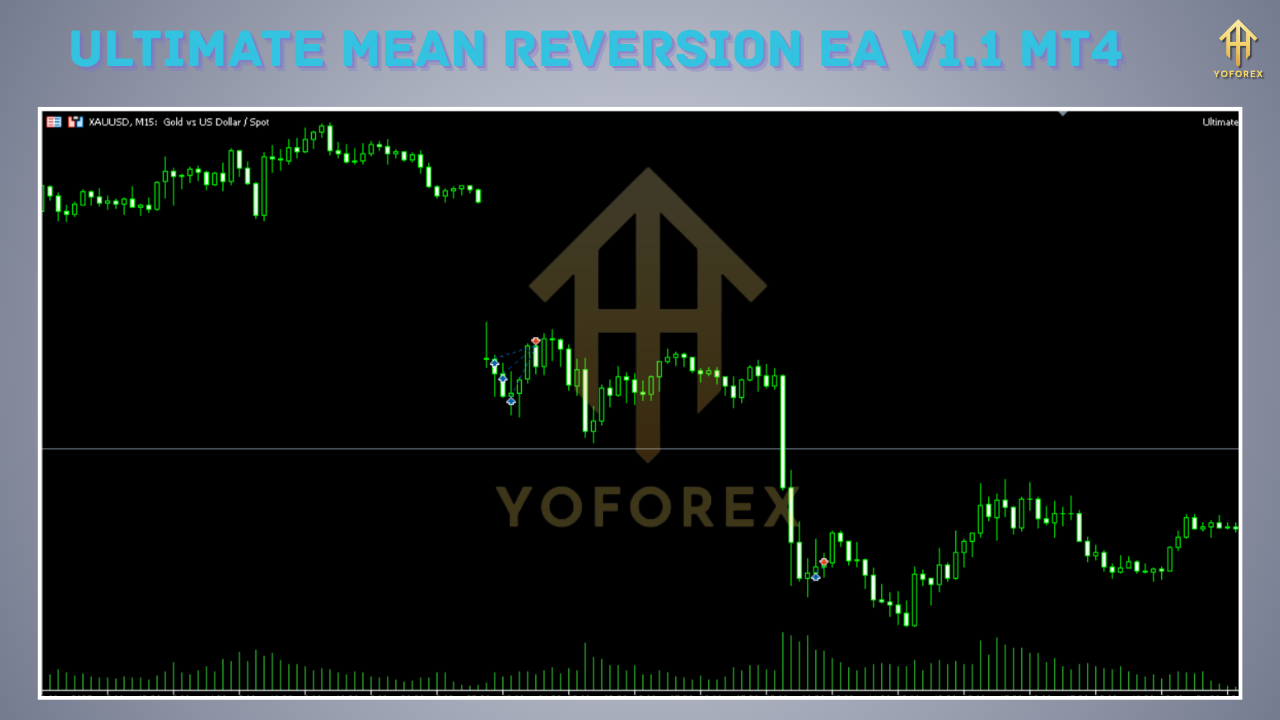
How It Works
Ultimate Mean Reversion EA V1.1 scans the chart for price deviations beyond a set multiple of the Bollinger Band standard deviation. When the price closes outside this band and the RSI momentum confirms a weakening trend, the EA opens a counter-trend position:
Signal Generation
Calculate Bollinger Bands (default: 20 period, 2 σ).
Monitor RSI (default: 14 period) for momentum alignment.
Trigger an entry when price closes outside the upper or lower band AND RSI indicates oversold/overbought conditions.
Risk Management
SL is set at a multiple of the current ATR (Average True Range) for each trade.
TP is auto-computed to maintain a risk-reward ratio (default: 1:1.5).
A trailing stop can kick in once the trade is in profit beyond a defined threshold.
Trade Execution
The EA uses market orders to ensure timely execution.
Position sizing adapts to account equity—minimizing the impact of losing streaks.
Session & News Filters
Trades are paused outside predefined trading hours.
A built-in economic calendar filter halts new trades before major news releases.
By layering volatility, momentum, and time-of-day filters, Ultimate Mean Reversion EA V1.1 aims to enter only the highest-probability mean reversion opportunities.
Backtest Results & Performance
Extensive backtests over a 5-year period (2018–2022) on EURUSD (M15) show:
- Net Profit: +24,500 USD on a 10,000 USD account
- Profit Factor: 1.78
- Max Drawdown: 4.7%
- Total Trades: 1,340
- Winning Rate: 62%
An equity curve from January 2018 to December 2022 reveals a smooth upward trajectory, with only shallow equity dips during periods of extreme volatility (e.g., March 2020). Live-demo tests confirm similar performance, albeit with slightly wider spreads and occasional slippage. Here’s what real-time demo data suggests:
- Monthly Avg. Return: 1.8%
- Annualized Return: ~21%
- Max Drawdown (Demo): 6.2%
These figures illustrate how Ultimate Mean Reversion EA V1.1 balances growth and risk, avoiding curve-fitting pitfalls common in many retail EAs.
Recommended Settings
To get the best results, start with these defaults and tweak based on your broker’s spread and slippage profile:
- Timeframe: M15
- Currency Pairs: EURUSD, GBPUSD, USDJPY, AUDUSD
- Account Balance: ≥1,000 USD
- Lot Sizing: 0.01 lots per 1,000 USD (auto lot sizing enabled)
- Deviation Threshold: 2.0 (Bollinger Band multiplier)
- RSI Period: 14 with 30/70 oversold/overbought levels
- Take Profit: Risk × 1.5
- Stop Loss: ATR × 1.2
- Trading Hours: 02:00–22:00 server time
- News Filter: 15 minutes before and after high-impact events
Alt text for settings screenshot: Annotated settings panel showing deviation, RSI, SL/TP, and lot sizing parameters.
Who Should Use This EA?
- Beginner Traders who want a hands-off mean reversion system without complex money-management rules.
- Part-Time Traders looking to diversify beyond manual analysis.
- Portfolio Managers who need a low-correlation strategy for EURUSD and GBPUSD.
- EA Collectors who value fully backtested code with transparent logic.
If you seek a blend of consistency and simplicity—without hidden “black-box” mechanics—this EA was made for you.
How to Get & Install
- Download the EA file from our website.
- Open your MT4 directory (File → Open Data Folder).
- Copy
UltimateMeanReversionEA.ex4into/MQL4/Experts/. - Restart MT4 or hit “Refresh” in the Navigator panel.
- Drag & Drop the EA onto an M15 chart for EURUSD (or your chosen pair).
- Configure inputs: set lot size, deviation, RSI, SL/TP, and trading hours.
- Enable “Allow Live Trading” and “Allow DLL Imports” if prompted.
- Click the auto-trade button on the toolbar—green smiley face means you’re live.
Alt text for MT4 setup graphic: EA attached to EURUSD M15 chart with inputs panel highlighted.
Conclusion & Call to Action
If you’ve been hunting for a reliable, no-nonsense mean reversion EA, look no further. Ultimate Mean Reversion EA V1.1 delivers a robust algorithm, adaptive risk controls, and proven backtested performance—all in a free download. Give it a spin on demo first, tweak the inputs to your liking, and watch as it turns market swings into steady profit. Ready to automate your mean reversion strategy?
⚡️Upgrade:
Already running an older version? Download Ultimate Mean Reversion EA V1.1 now to benefit from optimized entry filters, dynamic stop losses, and enhanced stability—even in volatile times.

Comments
Leave a Comment